
System Implementation
Lab Machine Integration
Hardware
- Custom Shaker Module
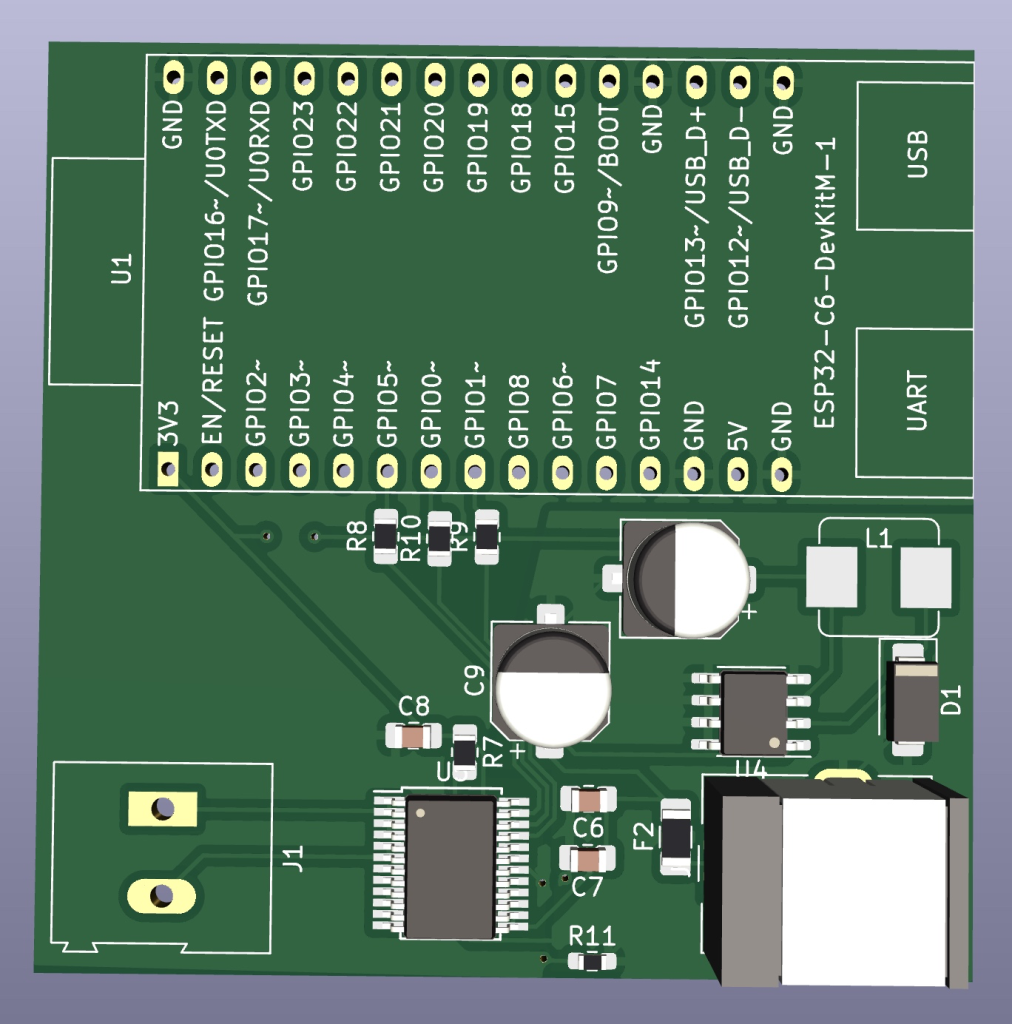
- Custom Shaker Module PCB
- OpenTrons OT-2
- Desktop Machine
Custom Shaker
Mixing reagents is critical to many scientific experiments. As such, there is a need to have some system that mixes liquids together, once they’ve been dispensed into the appropriate lab plate well.
Dr. Josh Kangas’ kindly allowed us to use a shaker module that his previous student created. This shaker module, however, relied on a dynamic power supply to control the speed of the shaker module. This power supply would have its voltage adjusted via a knob, which would inherently increase/decrease the shaking.
Rather than relying on robotic manipulation to turn this knob, we opted for creating a custom PCB to allow us to control the motor on the shaker module. We have deployed a simple REST API that accepts PWM values, which drives the motor.
Although we designed a fully integrated circuit for this PCB, there were issues with physically being able to populate the board. Namely, the ESP32 was too difficult to properly solder without more specialized equipment. Alternatively, we designed a lighter weight DevKit centered board to off-board the tight component soldering necessary for the USB+ESP32. Although slightly larger, it did make the soldering process significantly easier.

OpenTrons OT-2 Liquid Handler
Dr. Josh Kangas also provided us with access to an OT-2 Liquid Handler. The OT-2 will provide us with the ability to precisely dispense and mix liquids. Similar to the custom shaker, we needed to be able to command this machine remotely.
We designed a REST API wrapper around the PyLabRobot python library to allow us to issue commands over the network from our autonomy stack. As we couldn’t deploy this wrapper directly onto the OT-2, we created a Docker container that was deployed on our Desktop machine.
Integration
Both of these Lab Machines are integrated into our autonomy stack and are commanded through a Behavior Tree mechanism. This BT definition lives alongside, but in parallel to, the robot’s BT. This allows for the Lab Machines to be commanded without blocking the robot’s operation.
Perception
Hardware
- Two ZEDx Stereo Cameras
- GSML2 Cables
- Nvidia Jetson Xavier
- ZED Link Capture Card Duo
Overview
Our perception subsystem runs fully on an Nvidia Jetson Xavier. The Xavier is connected to the two ZEDx Stereo Cameras via the ZED Link Capture Card Duo through GSML2 cables. This subsystem runs through a single Python stack that allows our UI to subscribe to the camera workers to display a video stream to end users.
This subsystem also allows our Autonomy stack to command which worker to “activate” (gripper/base). Since the system only ever actively needs a single one of these inference pipelines at a time, this methodology allowed us to optimize our GPU/RAM/CPU consumption, as performing YOLO inference and point cloud streaming can be relatively expensive.
This pub-sub model is made possible through web sockets. Additionally, there is a small web socket to ROS2 conversion script that runs on the Jetson Thor to allow the Planning subsystem (since it is purely implemented through ROS2) to ingest point clouds.
Gripper
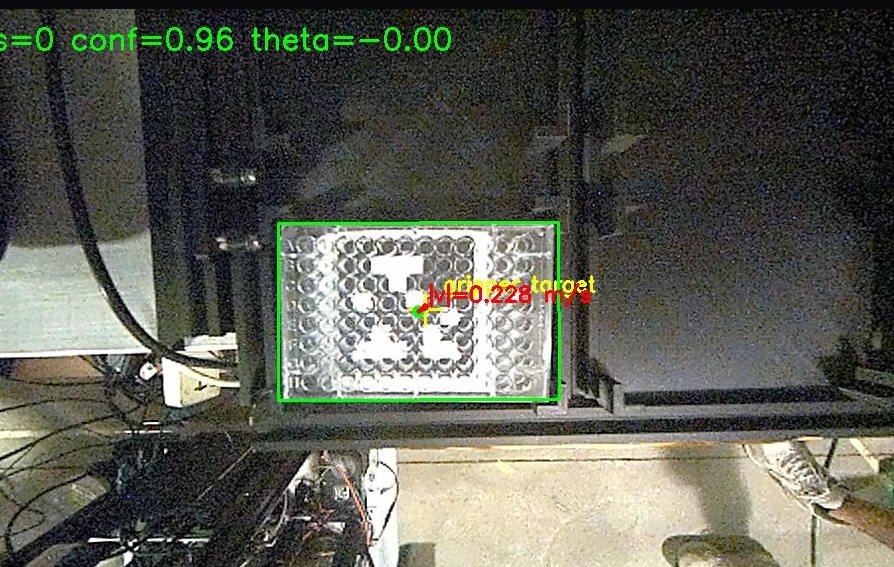
One of our ZEDx cameras is mounted above the custom gripper (further detailed in the Manipulation subsystem). We feed the RGB stream into YOLOv26 to get Oriented Bounding Boxes for the well plates. We then use these OBBs to perform visual servoing.
The YOLO model for this process was trained on 21,000 images across a variety of lighting conditions and gripper positions.
Base
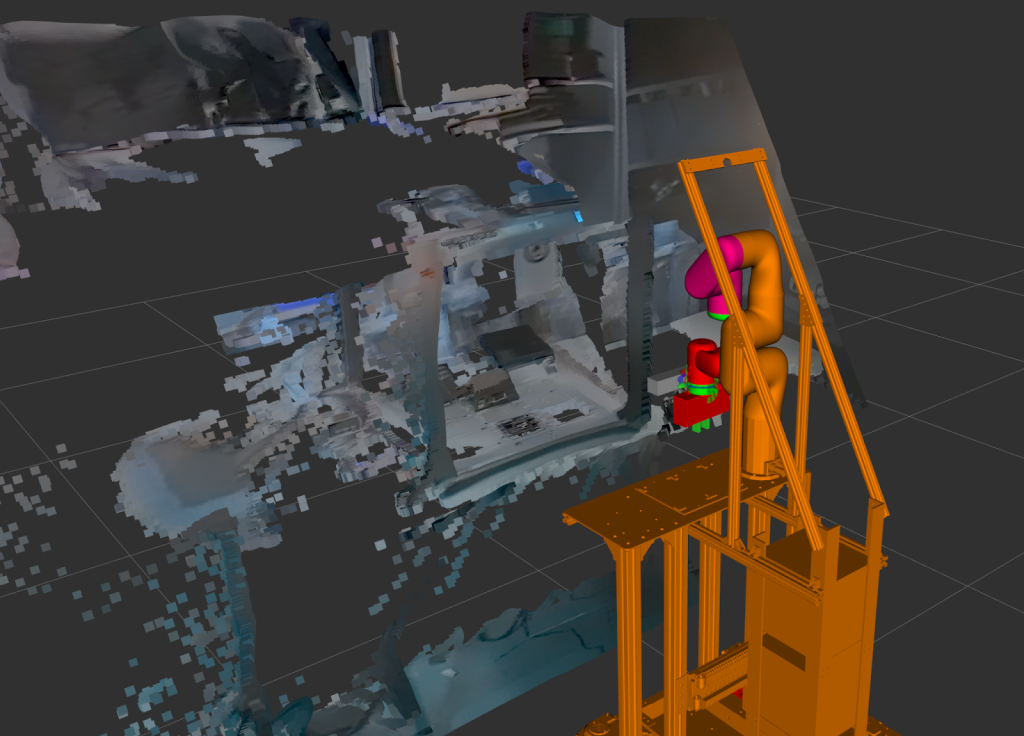
Our other ZEDx camera is mounted at the top of our mobile base. This camera is primarily used for point cloud generation and well plate/April tag detection.
Similar to our gripper camera, we trained a YOLO model on 2000 images across a variety of lighting conditions and mobile base positions.
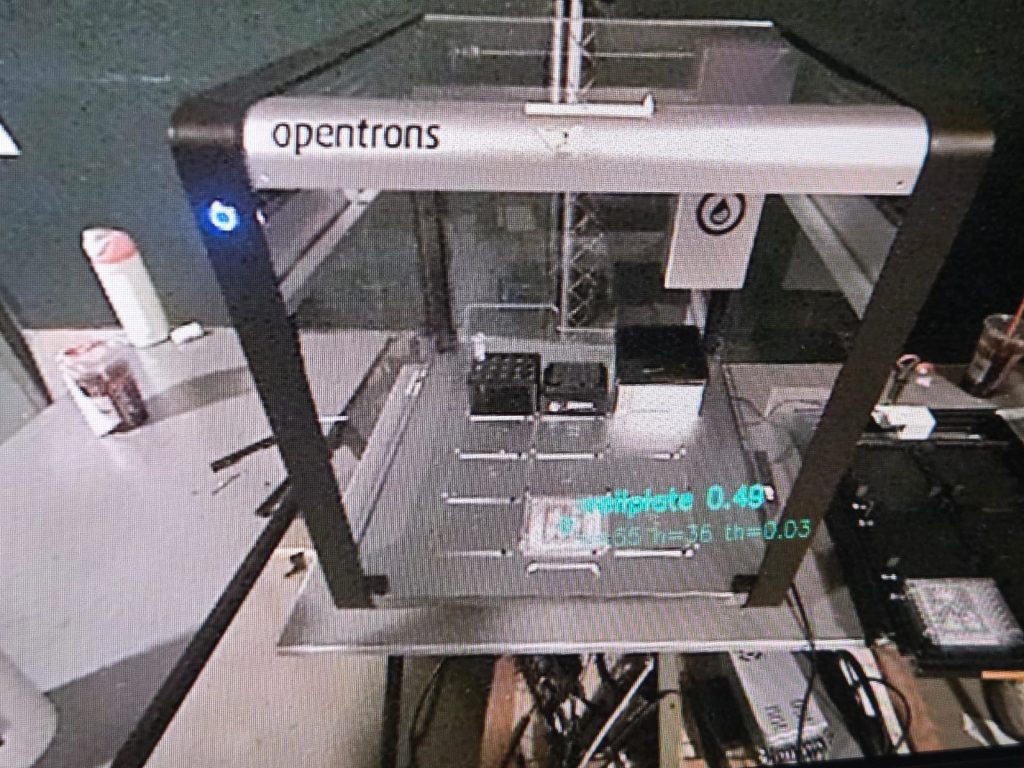
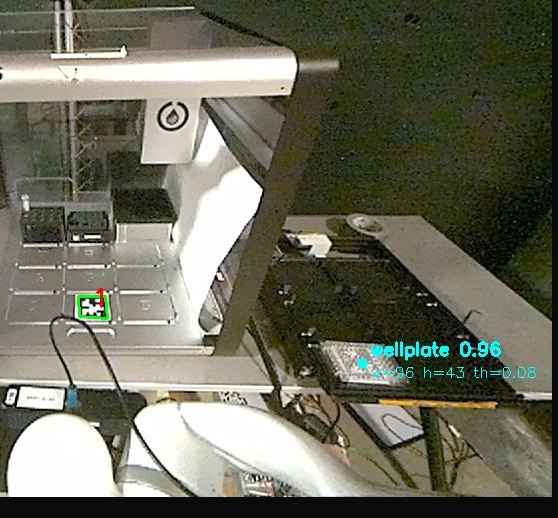
The other critical feature of this camera is point cloud generation for planning. This point cloud is then used by planning to generate an obstacle cloud, to avoid hitting our lab machines.
Planning
Hardware
- Nvidia Jetson Thor
Overview
Our Planning subsystem is used to plan safe, obstacle free paths for the arm to perform its necessary actions. Namely, it plans paths for grasping well plates, placing well plates, and moving well plates in between lab machines. Although we previously designed Planning to generate these plans using an OMPL planner in MoveIt (RRTConnect), we opted for a much simpler approach with a custom PRM planner.
Routine
As mentioned previously, the Planning subsystem relies on the Perception subsystem for point clouds. These point clouds are used by Planning to generate an obstacle cloud, which is then used to generate the necessary obstacle free paths.
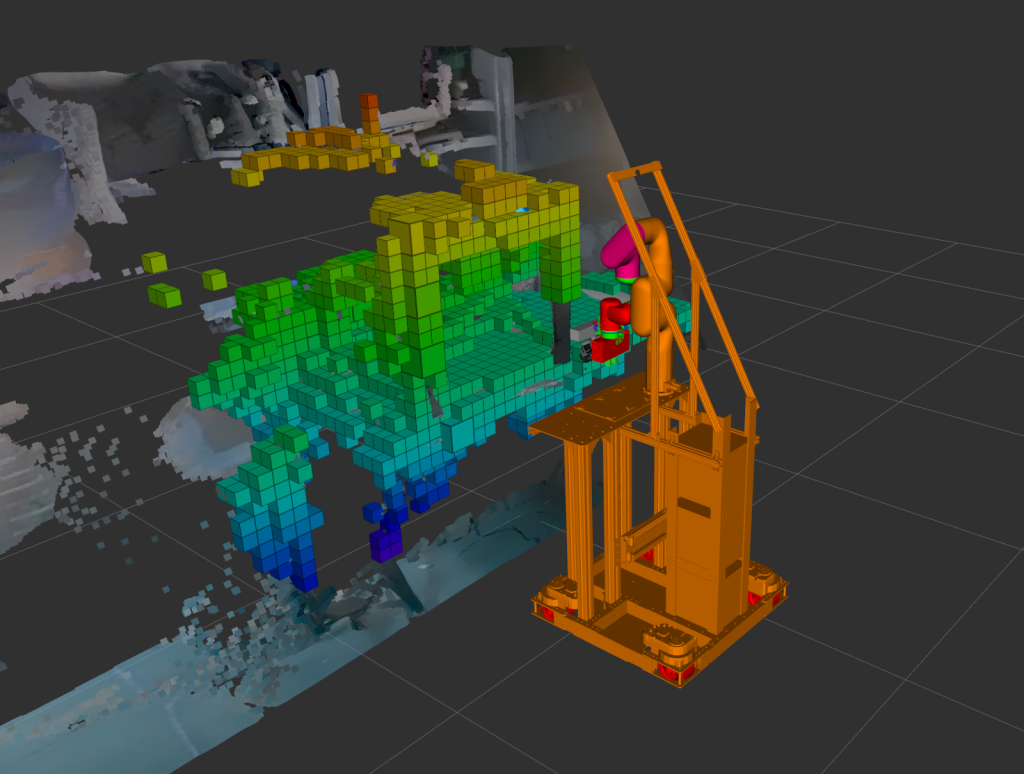
Planning is commanded through ROS2 topics, from our Manipulation subsystem. Manipulation requests one of the following plans (and plan execution):
- Move to Well Plate
- Move to April Tag “N” (where N is the April Tag ID)
- Move to Home Offset
In addition to the point clouds, Planning relies on Perception to publish valid object poses for the “Move to Well Plate” and “Move to April Tag” plans. Once Planning confirms a valid object pose being published by Perception, it generates the necessary path for the arm to reach that object pose, and then executes said path.
Development
Much work was done to get Planning functioning in simulation, prior to moving to real world:
- Converting CAD of the robot base into URDF (using onshape)
- Creating a moveit config package for the above robot base
- Create nodes for executing motion planning to a target pose. We created dummy target poses and point cloud topics before getting the actual ones from the perception subsystem.
- Before the arm was ready to move, the planning algorithm was tested in Isaac Sim.
- Once the arm was setup and the point clouds obtained from the perception subsystem, then the planning algorithm was tested in the real robot.
Manipulation
Hardware
- Custom Gripper
- UFACTORY xArm 6
Overview
The primary purpose of this subsystem is to have a mechanism that is able to interact with the physical world. That is, we need something that can actually physically pick up well plates, and place them into desired spaces.
Custom Gripper
This subsystem has required a significant amount of hardware work. As part of our solution, we’ve had to design, develop, and manufacture our own custom gripper. This is because the grippers on the market either did not meet our needs exactly, or were too expensive for our budget.
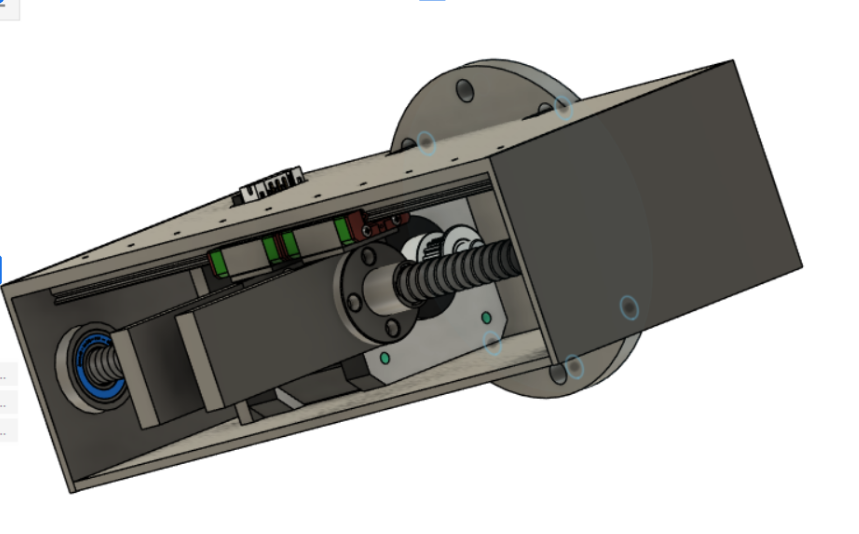
The gripper consists of a lead-screw with two finger tips mounted on either side. This acts as our primary mechanism for grasping well plates. On each of these finger tips, we have FSRs in order to detect when we have made contact with objects. We have a limit switch that is used to “home” our gripper. We also have a 12pin cable to power and command the gripper through the XArm 6.
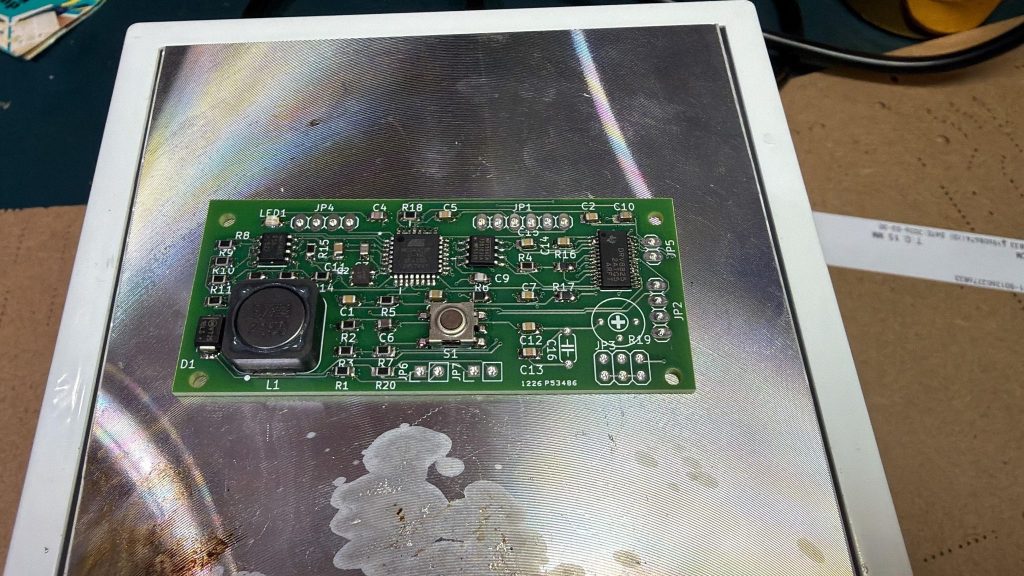
We developed a PCB to simplify the electronics inside of the gripper; however, we faced challenges with the power regulation. As part of the Fall semester we plan on resolving these power issues so that we can streamline the electrical components.
Visual Servo
As was discussed in the Perception subsystem, Manipulation relies on the camera on the Gripper to be able to perform visual servo. When we are ready to grasp a Well Plate, the Behavior Tree activates “Visual Servo” mode – this activates the Gripper camera worker to begin running inference through the appropriate YOLOv26 model. Manipulation also connects to the xArm over ethernet and begins the Visual Servo routine.
On each frame, the camera worker runs inference to get the best OBB at that time. It projects the gripper’s origin onto the image plane using the right camera, and treats that point as the servo target. If the camera worker loses the detection at any point during the routine the arm stops immediately and waits for an updated detection.
The IBVS command is computed from three errors: XY pixel offset between detection center and gripper projection, area difference from the first-seen area for Z approach, and angle difference from zero for rotation. That camera-frame velocity gets mapped to the gripper frame via an adjoint transform, the X component gets sign-flipped for frame convention, and all axes get hard-clamped before being sent as a Cartesian velocity command in world frame at roughly 30 Hz.
When the detected bounding box area crosses a fixed threshold the plate is judged close enough. The loop exits, the arm switches back to position mode, makes a lateral correction move at 100 mm/s, descends slowly to the grasp Z at 10 mm/s. Once it has reached its Z position, it begins its force feedback gripper closing routine.
Force Feedback Gripper Closing
Despite our best efforts, it is incredibly difficult to be perfectly centered on a well plate. To deal with this issue, we developed a force feedback routine to nudge the gripper in the appropriate direction to better center it as we attempt our grasp.
Once the gripper has reached its Z position, we issue gripper close commands in 20mm increments. After each command, we use force sensors that are mounted at each of the gripper’s fingers to detect whether we have made contact with the well plate. This results in the following conditional logic:
- If neither force sensor has made contact, continue closing.
- If one force sensor has made contact, nudge the gripper in the direction of that force sensor.
- If both force sensors have made contact, lift the gripper and move back to the original position prior to activating visual servo.
The addition of this routine has drastically improved our pick rate, from a mere 60~70% to nearly 100%. We also added a simple retry routine – if neither force sensor has made contact after N close commands (we know the well plate is of a certain size, so there is no use in closing it more than a certain amount) or if we detect that the force sensors no longer have contact after lifting the gripper, we restart Visual Servo from its original position.
Mobility
Hardware
- Four Swerve Motors
- IMU
- Two Velodyne LIDARs
- Nvidia Jetson Thor
- Four Wheels
Overview
This subsystem was primarily scoped for the Fall; however, we have made significant progress in developing the hardware during the Spring. Mobility will be used to move the system around to different lab stations, so that we can transport well plates across a wet lab. It is currently operational through the use of an Xbox remote. Our plan for the Fall is to implement SLAM using LIDARs and our base ZEDx camera and move to desired positions commanded by our Autonomy stack.
User Interface/NLP
Hardware
- Desktop Machine
Overview
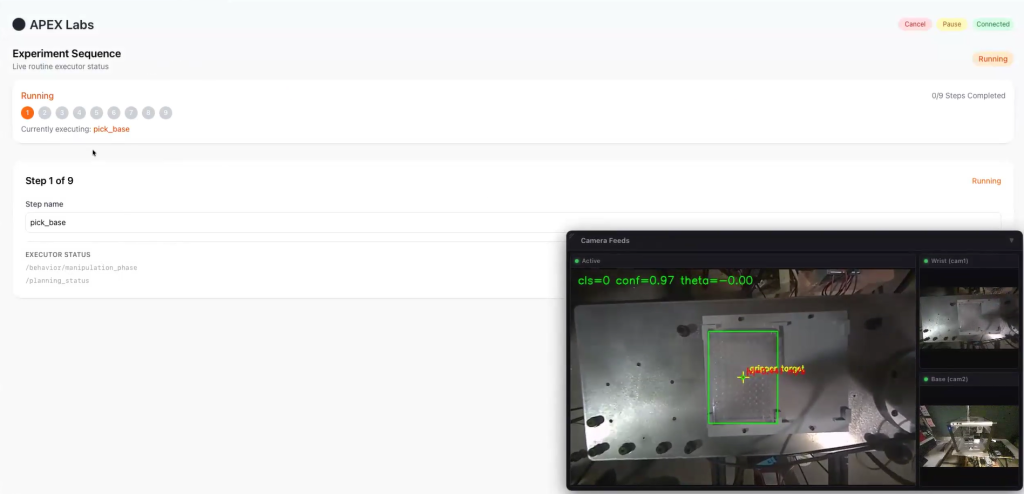
This subsystem acts as our main interaction point with end users. It acts as a way for end users to provide the experiment protocol that they would like the system to perform, and also monitor that the system is operating in the appropriate way. Although the User Interface is fully implemented, we plan on integrating the NLP module in the Fall so that users can provide these protocols in a human readable format, rather than in JSON as is currently expected.
The User Interface is React based and relies on a web sockets to grab the current system status and camera feeds. It sends commands to the Autonomy stack through web sockets, which are then converted into ROS2 topics downstream to issue commands to all of the relevant subsystems. The UI also has the ability to “pause” the experiment after the current step has completed execution, and “resume” it after any errors/issues are cleared.
Monitoring
Hardware
- Desktop Machine
Overview
The ultimate plan for this subsystem is to accumulate logs and data from the APEX Labs system using the ElasticSearch ecosystem. We have tested this concept by setting up a docker compose file that launches:
- Publishing Python script: This script publishes faux data to a ROS2 topic. This is meant to mimic the behavior of our other subsystems.
- MQTT Python Script: This script listens to the example ROS2 topic and publishes data to Filebeat via an MQTT broker.
- ElasticSearch/Kibana: This is the centralized log accumulator that we can use to visualize the data that is being collected by the monitoring subsystem.
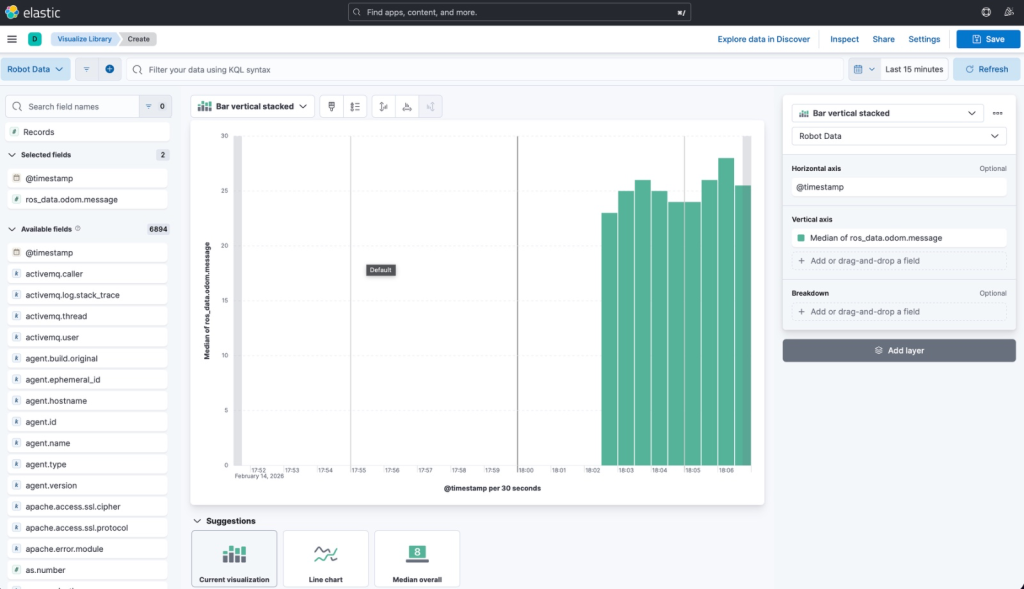
Although operational, we believe that this subsystem will be of more value in the Fall when we implement the Mobility subsystem. Additionally, we plan on developing camera monitoring so that we can save snippets of camera data when issues/failures are detected by the overall system.